

The Affiliate Center is a password-protected portal that you can use to access your sales reports, redirect links, and acquire marketing resources that is provide for you in the form of Banners, Email Templates or Web Pages. The Affiliate Center will give you easy access to the tools and information they you'll to pile up those commissions!
If you haven't logged in yet to your affiliate account, follow these simple steps:
1. Access the instructional email we sent you with your login information. You should receive this email once you have completed our opt-in form with your name and email address. This email will contain your ID, Password and Referral Code which you should keep secure at all times so you don't lose access to your account.
2. Access the Affiliate Center Login in Page.

3. Just enter your login information, click the login button, and you're in!
There are three menu categories in the Affiliate Center: Home, Resources, and Reports.

In the Home section you can access your profile to update you contact information including email, phone number, address and the name of your company. You can also access the programs tab to see what commission programs you are included in and see what the products you can sell and what your commission setup is with those programs. Lastly, your commission structure can be viewed on the last tab

The resources section is where the magic happens. This is where you get the tools you need for promoting our digital products.
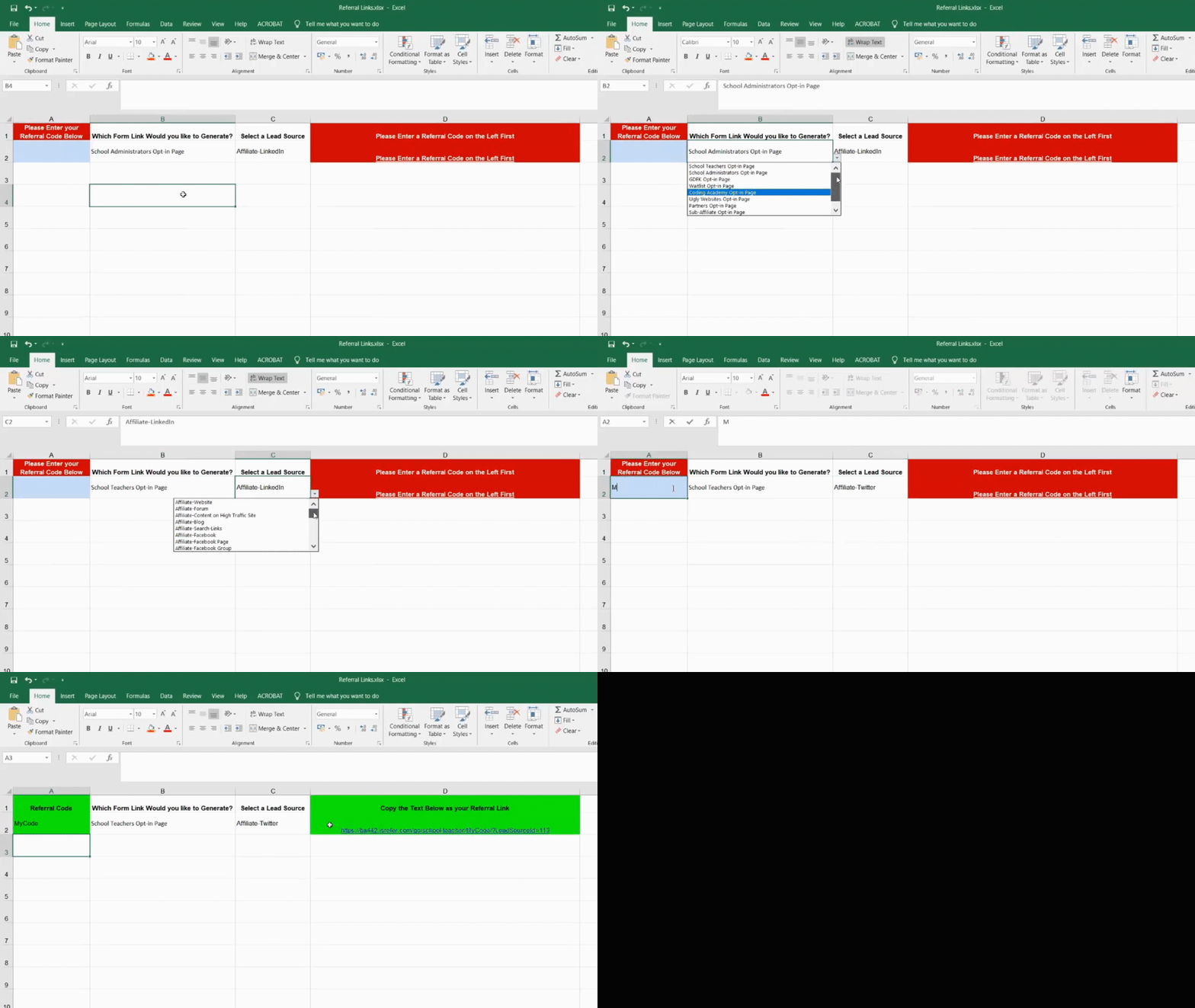
You'll need to copy and paste the links in the last column and send that to the person you want to sell to. As simple as that. That will redirect them to the Webform you have selected
Important Note: Use only these links, they are provided specifically for you. Not doing so may result in you not getting your commission.
TIP: You can use the link to wrap a button or a clickable place a page or app!

The Reports section gives you access to commission, lead tracking, and sales reports. The My Ledger report will be a valuable tool you can use to access your financial earnings.